DaMiao Motor Driver
We created this Python driver because many people in the robot learning community use DaMiao motors, and we want to make using this excellent product as easy to use as possible.
Features
- ✅ CLI tools - Command-line utilities for scanning and configuration
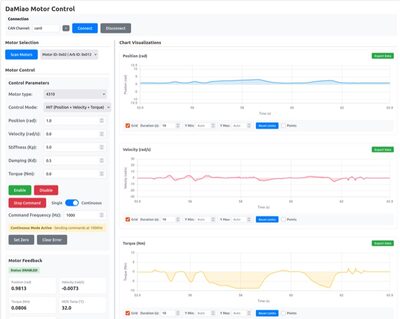
- ✅ Web GUI - Browser-based interface for viewing and editing motor parameters
- ✅ Easy to use - Simple Python API for integration into your projects
Installation
Install from PyPI
Install using pip
Install from Source
To install from the source repository:
git clone https://github.com/jia-xie/python-damiao-driver.git
cd python-damiao-driver
pip install -e .
Verify Installation
After installation, verify that the package is correctly installed:
You should also be able to use the command-line tools:
Quick Start
Minimal python script to control the motor
from damiao_motor import DaMiaoController
controller = DaMiaoController(channel="can0", bustype="socketcan")
motor = controller.add_motor(motor_id=0x01, feedback_id=0x00, motor_type="4340")
controller.enable_all()
motor.send_cmd(target_position=1.0, target_velocity=0.0, stiffness=20.0, damping=0.5, feedforward_torque=0.0)
Related Links
- Motor Firmware Repository - Official DaMiao motor firmware
- GitHub Repository - Source code and issues
- PyPI Package - Python package index
Safety Warning
Safety First
Always ensure motors are securely mounted and operated in safe conditions. Keep clear of moving parts and follow your lab/robot safety guidelines.
Next Steps
- Guide - Complete setup and concepts guide